
CSInputs
CSInputs is a C# library that enables developers to send and read mouse and keyboard inputs in WinForms, WPF and Console Applications.
It allows users to interact with applications even when their window is inactive.
WinForms / Console Application .NET Framework 3.5+
Installation
You can install this package from Nuget Package Manager.
C#
Install-Package CSInputsOR
C#
dotnet add package CSInputsOR
https://github.com/trksyln/CSInputsUsage Examples
-Send Inputs
Keyboard Inputs:
C#
SendInput.Keyboard.Send(KeyboardKeys.F1);
SendInput.Keyboard.Send(KeyboardKeys.F1,Enums.KeyFlags.Down);
SendInput.Keyboard.Send(KeyboardKeys.F1,Enums.KeyFlags.Up);
SendInput.Keyboard.SendChar('A');
SendInput.Keyboard.SendString("Hello World!");Mouse Inputs:
C#
SendInput.Mouse.Send(MouseKeys.MouseLeft);
SendInput.Mouse.Send(MouseKeys.MouseLeft,Enums.KeyFlags.Down);
SendInput.Mouse.Send(MouseKeys.MouseLeft,Enums.KeyFlags.Up);
SendInput.Mouse.Send(MouseKeys.MouseLeft, KeyFlags.Down,new Point(150, 123),MousePositioning.Absolute);
SendInput.Mouse.Send(MouseKeys.MouseLeft, KeyFlags.Down,new Point(-5, -30),MousePositioning.Relative);
SendInput.Mouse.MoveTo(new Point(150, 123), Enums.MousePositioning.Absolute);-Listen Inputs
First you need to instantiate a input listener.
C#
ReadInput.InputListener listener = new ReadInput.InputListener();Then you can subscribe for keyboard or mouse events to listen inputs.
C#
listener.KeyboardInputs += Listener_KeyboardInputs;
listener.MouseInputs += Listener_MouseInputs;-Sample Console Application
C#
//System.Windows.Forms is required to work on console applications. so dont forget to add the reference.
using System.Windows.Forms;
using CSInputs.Enums;
using CSInputs.ReadInput;
using CSInputs.Structs;
internal class Program
{
    static void Main(string[] args)
    {
        // Instantiate InputListener
        InputListener inputListener = new InputListener();

        // Subscribe to KeyboardInputs event handler to listen keyboard inputs.
        inputListener.KeyboardInputs += InputListener_KeyboardInputs;

        // Subscribe to MouseInputs event handler to listen mouse inputs.
        inputListener.MouseInputs += InputListener_MouseInputs;
        Application.Run(); // Required to work on console applications,
    }
    private static void InputListener_MouseInputs(MouseData data, ref ModifierKey modifierKey)
    {
        if (data.Key == MouseKeys.MouseRight && data.Flags == KeyFlags.Up)
            Console.WriteLine("Someone just released the \"Right Click\"!");
    }
    private static void InputListener_KeyboardInputs(KeyboardData data, ref ModifierKey modifierKey)
    {
        if (data.Key == KeyboardKeys.Space && data.Flags == KeyFlags.Up)
            Console.WriteLine("Someone just released the \"Space\" key!");
    }
}Check out other projects
-
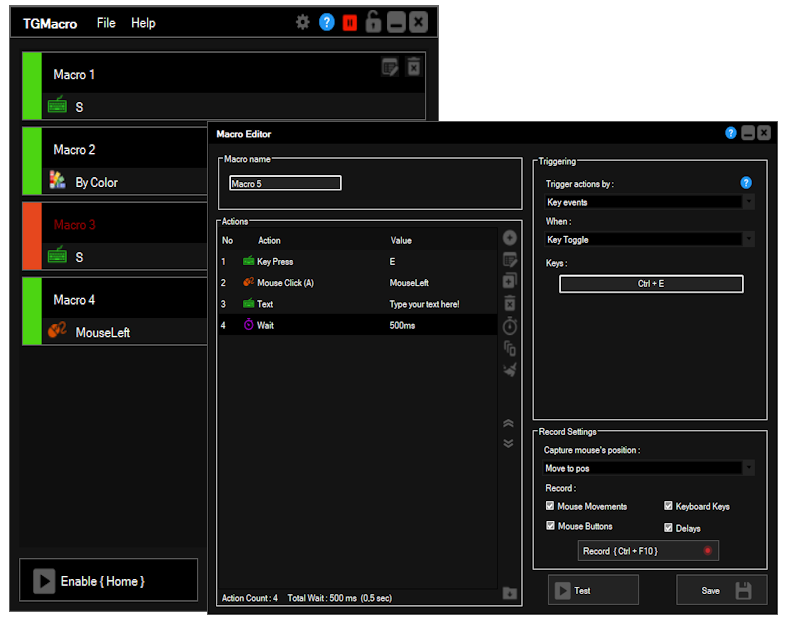
TGMacro is a gaming macro that lets you have a macro mouse and keyboard functionally with ordinary one. You can create or record multiple macros and assign them to any key combinations to trigger and loop them when you need how you need. TGM is made for gamers but it’s capable of so much more.…